This was the initial plan. The usual suspects all make an appearance.
- Windows 10 VM.
- PiHole LXC
- PFSense VM
- TrueNAS VM
- Jellyfin/Plex LXC or VM
- Home assistant VM
No surprises on the initial choices. The Windows 10 VM was essential to allow me to migrate my main pc from Windows.
PiHole for ad blocking. I’d tinkered briefly with this before and it was very effective. MSN.com makes a great test page for seeing how much junk gets blocked.
PFSense for routing/firewall. I’d wanted to play with this for a while. Mainly for security for the homelab if I was hosting anything but also in a professional sense for utility at work.
Home assistant. Something I’ve always been interested in playing with.
The initial set up of the system wasn’t without a couple of issues. I installed the motherboard, CPU and cooler in the case along with the 250GB Samsung SSD I was going to use as a boot drive for Proxmox. It fired up first time and after changing the IPMI IP address I was in and Proxmox was installing.
I logged in to the initial PVE screen and checked the summary. The RAM was listed at 112GB, not 128GB. I browsed in to the IPMI and checked the hardware tab. It should have looked like this:
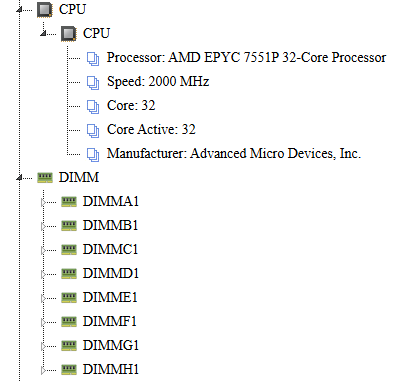
But DIMMH1 was missing. I powered down, swapped DIMMG and DIMMH but still had the same result. After a quick Google I noticed a post from someone with a similar issue. They had found a misplaced motherboard stand in the case was making contact with the back of the RAM slot.
I removed my motherboard expecting to see the same but it was clear. I installed everything back in the case. Re-seated all of the RAM for the 3rd time and fired it up. 128GB – all there. I have no idea what the issue was but it was working.
VM1 – Windows 10
I installed an old nVidia GT1030 in the first PCI slot and the 500GB NVME drive. Windows 10 was installed to a new VM (8 cores, 16GB RAM, q35 machine with the OVMF bios as I was doing PCI passthough for the graphics card). Everything fired up fine and the GPU was detected. I purchased a new license for Windows, did updates and installed the nVidia drivers.
I installed Teams and logged in with my work account and then started thinking about how I was going to share my webcam and audio from my main PC. I’d used NDI tools in the past to stream video to an old pc I used for streaming and knew it worked well. https://ndi.video/tools/
I then realised I had an old 720p Logitech webcam in the cupboard-full-of-shit so grabbed that and plugged it in alongside my main Webcam and uninstalled NDI tools after setting it all up. I passed the USB port through to the VM and the webcam was working. I’d purchased Xsplit Vcam many years before so installed that for background control. It’s now changed to vcam.ai but the old version is still available – https://vcam.ai/.
The only thing I hadn’t cracked was audio.
I use a Focusrite 8i6 audio interface with a Rode NT1A microphone and Beyer Dynamic DT770 headphones on the main PC. I thought about using Voicemeeter banana – https://vb-audio.com/Voicemeeter/banana.htm to stream the audio between my main PC and the VM. I also have an old Steinberg UR44 audio interface so I toyed with the idea of passing that through to the VM via USB and routing audio back and forth between the two interfaces. I’ve yet to solve this as you’ll see below.
VM2 – Pihole
https://community-scripts.github.io/ProxmoxVE – is a great resource and they have a script to install Pihole to an LXC here – https://community-scripts.github.io/ProxmoxVE/scripts?id=pihole
Installation was quick and it’s super easy to set up. I added an additional blocklist to go alongside the default one.
More hardware required
It’s now I start to think about PFsense. The motherboard has 2x 1GB ethernet interfaces and if I wanted to do things in a proper fashion I would need 3. One for the WAN, Management, VLANs. Another quick Google looking for advice led me to the Intel I350-T4 PRO 1000 Quad Port GbE. Another Ebay purchase for £25 ($32). I think it’s a bargain for four more 1GB ports.
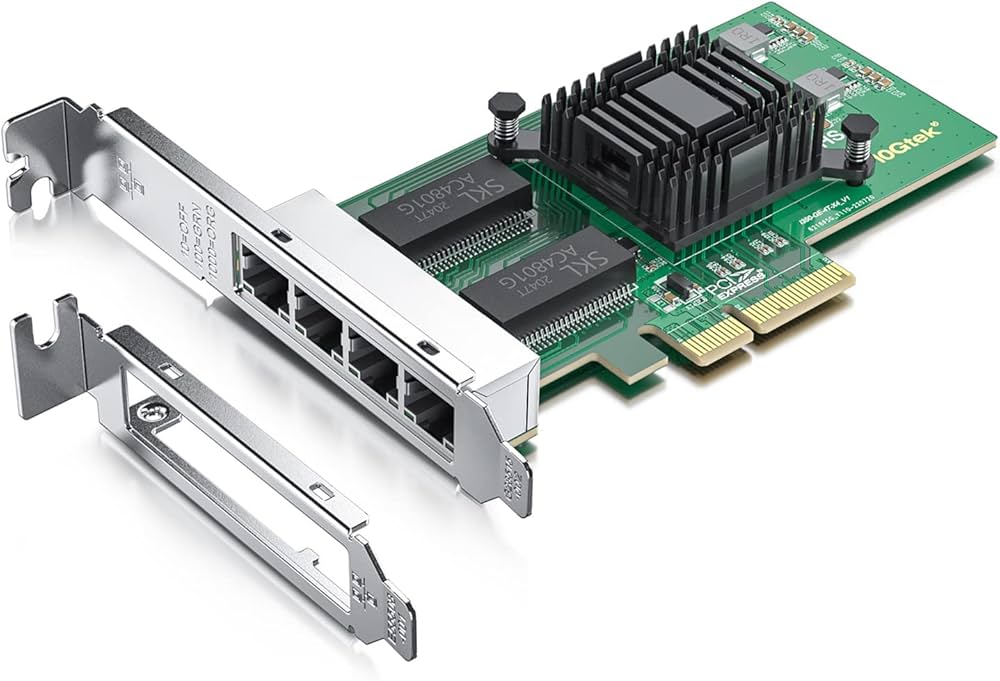
While waiting for that to arrive I realised I was going to need some storage for a NAS. I had a random collection of drives as listed in the first blog post but I was going to need something bigger.
If I was going to use Jellyfin or Plex I’d need storage for media. I’d also need storage for Proxmox backups and I’d like to back up my main PC.
I ordered 3x Recertified Seagate (ST6000NM0205) 6TB Exos drives from Bargain Hardware in the UK – https://www.bargainhardware.co.uk/ for another £151 ($195). In a RaidZ1 ZFS pool that’s going to give me 11ish TB and some redundancy allowing for one drive failure. 11TB is more than enough for my needs.
To use those drives I’d also need a HBA card. Back to Ebay we go and pick up an LSI 9211-8i IT Mode HBA for another £32 ($41). 2x Mini SAS SFF-8087 Host to 4 SFF-8482 for £22 ($28) cables was added to the shopping list.
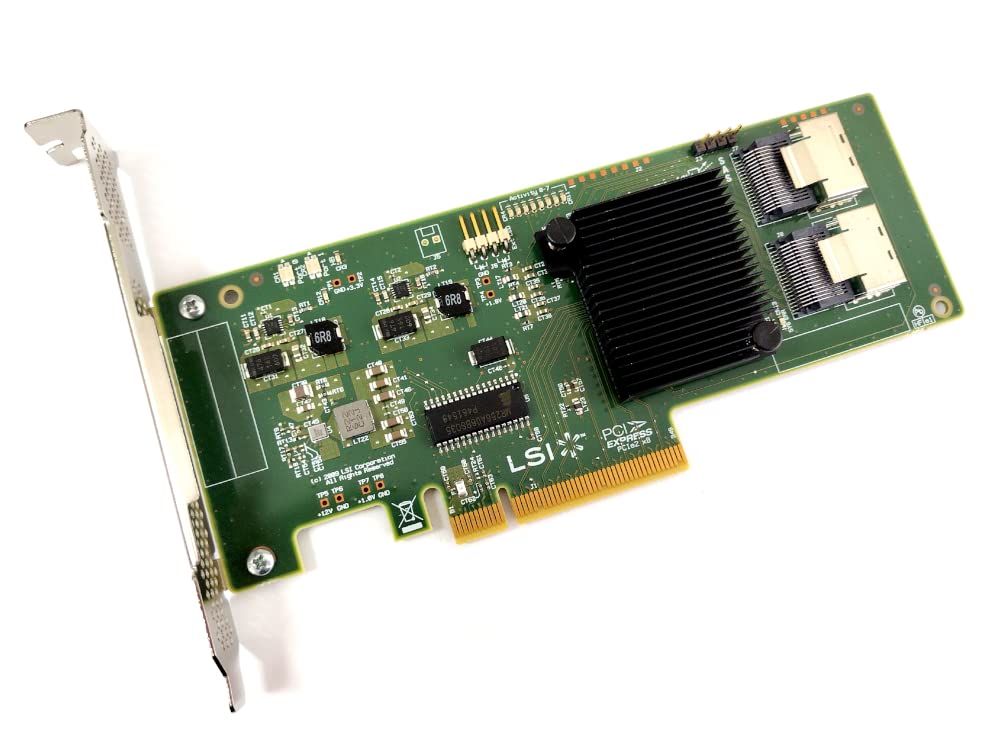
While waiting for all of these to arrive I started looking at Jellyfin and Plex. I had an old nVidia quadro P400 in the aforementioned shit-cupboard I wanted to use for hardware transcoding and quickly settled on Jellyfin. This led me down a rabbit hole of research to the ARR stack.
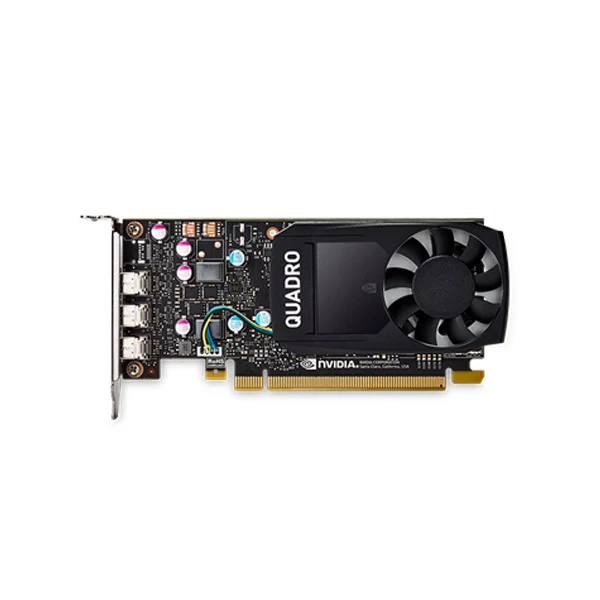
We’ll get to this as it’s at this time for some ungodly reason I couldn’t log in to Proxmox any more. I hadn’t changed the password. I’d had zero issues with the system. It just wouldn’t let me in. I tried some of the solution listed online but nothing worked. I had to start again.
 March 16, 2025